
Designed for Focus or Distraction?

distracted squirrelProductivity isn’t just about willpower, motivation or discipline. It’s about design. Your environment has an impact on your productivity, well-being and efficiency through the cues that it is consciously and subconsciously sending you.

It can:

      • Encourage focus
      • Create calm
      • Promote distraction and procrastination
        • Intensify overwhelm
      • Make things harder (and take longer)

Visual Impact

Although our eyes “see” a great deal of visual information around us, it is our brain that processes only about 1% of that information. It tends to focus on anything survival related while keeping an ongoing “video” of the last 10-15 seconds based on attention and memory. So, it is our brain that interprets what we see and then makes sense of that information. The more cluttered the environment, the harder the brain has to work to see what you want it to see. If you’ve ever searched for your keys, only to find them 20 minutes later in one of the first places you looked – you know what I mean.

The busier the space, the more brain interference especially if there are things in your environment that are calling for attention. Maybe you have left something out as a reminder of a task or a decision you need to make. If that isn’t your focus right now, then maybe you can reduce the visual choices in that area and create a “focus zone” to help reduce the nonessential.

Sensory Input

First, we want to be sure our brain has everything it needs to be happy. The brain is continually sensing and responding to variations from the norm so it needs to have certain things like food, water, sleep, and safety to begin with. A quick body check of these internal needs will let you know if your brain needs something. To avoid being distracted by those needs, you should satisfy them before getting to work.

Next, let’s look at the things that can impact our senses externally. Starting with the ambient noise level. Is it too loud or too quiet? Which helps you stay focused more?

How about the temperature in the room – is it too warm, too cool? Also, think about the air quality as proper ventilation reduces indoor pollutants and increases your brain’s oxygen level which leads to better focus. Adding a plant or two can also increase the available oxygen.

Ergonomics, as defined by Google, “is fitting the task to the person.” This means making sure that you are comfortable and able to do the job without strain or pain. Check the chair for comfort and fit. Are your feet flat on the floor? Does the height of the desk fit with the chair? Check that the lighting is bright enough and focused on your work area and not coming from the ceiling to prevent working in your own shadow.

Lastly, color can impact your focus and productivity by reducing stress and stimulating brain activity. For example, blue and green are known for helping concentration, while red is known for boosting attention to detail (in short bursts). Color can also be used to help with learning. Grouping facts or like data together with one color aids retention. So, do what you can to make your environment suit your needs.

Friction vs. Flow

Sometimes it is not your hunger, or the ergonomics of your workspace, but the “friction” between you and the next small step. What’s friction, you ask? Anything that makes getting started harder (see above). There is not knowing where to start, not having what you need or being distracted by notifications. It all takes its toll.

Flow, on the other hand, feels effortless because the plan is clear. You know what to do and you have what you need to do it or can easily find it. The more friction you can alleviate, the more flow is possible.

Friction

  • Notifications and interruptions
  • Looking for things – disorganization/clutter
  • Perfectionism
  • No plan or clue about the next step

Flow

  • Have a plan before you sit down
  • Healthy snacks, water
  • Clear work space with needed supplies
  • Distraction free zone

Simple changes to your environment and the way you think about productivity can help make getting started easier with less friction and more flow.  And that will help you get things done.

How can your environment better support you and your brain? (What can be changed, removed, simplified or decided ahead of time?) Check out our Friction Audit on Facebook.
Hack Your Workspace – Up Your Game

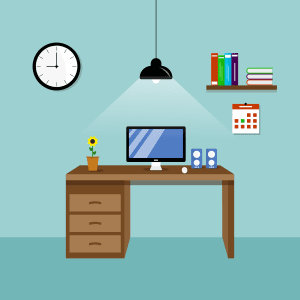
neat workspaceDoes your workspace help you focus and get things done or does it just add more challenge to your task? Since we can’t add more time to our day, we have to find ways to be more effective and/or productive with the time we do have. Wouldn’t you agree? We can start with making sure our workspace (whether it is a counter, desk or small table) works for us and our needs.

Impact of Clutter

Did you know that clutter on your desk can affect your stress level? If your desk is covered in papers and other clutter, it makes it difficult to stay focused on the task at hand, because your attention will keep shifting to the visual clutter. That shift can then interfere with your working memory – you forget what you were doing or that brilliant idea you had, because you were distracted and your working memory lost its focus. Or worse, that pile of unknowns makes you think you have forgotten something important but you can’t stop and look now because you are already feeling behind. That would definitely increase my stress level.

Hack Your Space

  • Clear the clutter – anything you don’t need to do the job
  • Contain the papers in a basket or bin and move them out of your line of sight (don’t hide them especially if you are a piler)
  • Make sure you have good lighting without casting shadows on your work
  • Does the chair fit you and is it comfortable? (Feet reach the floor?)
  • Is there an analog clock in sight or maybe you prefer a time timer?
  • Add something that makes you smile – a picture, photo, plant or your favorite fidget

Brain Hacks

  • Pick one task – think of it as having a beginning, middle and ending. If you typically stop working before the task is completed or you leave all the supporting documents out after it is completed then you are not working until the end. The end means nothing is left to do or take care of for that task or project.
  • Start a master task list by categories. This is where you keep track of the things you don’t want to forget to do, but it is not your to-do list! (I’ll get to that in a minute) Categories such as work, at home, at computer, away from home, etc.
  • Create a close out the day routine. Each day before you leave your workspace, wrap up what you are doing and if you need to continue it tomorrow, make a note of the next step. Take a look at your master list and decide the top 3 priorities for tomorrow, keeping in mind the beginning, middle and end of each task. Put away what you can and set yourself up for a fast start in the morning.
  • Check your calendar and your master list – your to-do list should have 3-5 tasks that you want to complete for the next day. Sure, you can do more, but only if you get those things you think are important done first. It’s called a REASONABLE LIST.
  • A weekly reset is an opportunity to clear the clutter, file or recycle those papers, sharpen your pencils, put paper in the printer and blow the dust off your keyboard. Maybe even reboot your computer if it has been a while. Whatever it takes to prevent you from taking last week’s problems into next week. You want to start the week off knowing your priorities, your appointments, your kid’s schedules and having your week planned out and your desk cleaned up and ready for action.

These strategies can help your children handle their homework more effectively too. Make sure their study space works for them and is not distracting them. For middle schoolers that are using their computers more, you may want to find a way to add another screen for them to avoid having to switch back and forth – saves on working memory and time. Help them use their agendas to keep their extra-curricular activity schedules, appointments and special events as well as, their homework in there each week. That way they can better plan when to study for those upcoming tests and there will be fewer surprises.

The biggest changes may come from just knowing what to do first when you sit down at your workspace. It doesn’t matter if you are going to work, working from home or just working on home “work”, using your time wisely, reducing distractions and having a plan, will save you time, improve your focus, save working memory space, improve decision making and reduce your stress according to Jim Kwik. Even if you try just one hack, I think you will be surprised at its benefits.


Attention 101

Good habitsOctober is ADHD Awareness Month, so let’s talk about attention. Does your child take a long time to complete their homework? Have you heard things from the teacher like, “your child needs to pay more attention in class,” or “he/she is distracted and needs to focus more?”  Well, it turns out that it is not as simple as “paying more attention.” There are actually three different kinds of attention (according to the all kinds of minds website). I’ve summarized the three types below and added some strategies that might be helpful below that. (I used the pronoun, “they” rather than “he/she” to simplify.)

1. Mental Energy is really about how awake the brain is and how consistent the energy level stays.

                  • Alertness –can they concentrate when necessary?
                  • Sleep habits – do they get a good night’s sleep and wake rested?
                  • Mental effort- do they have enough energy to finish what they start
                  • Performance consistency-is their work of the same quality from day to day?

2. Processing Energy is about how well your child can put the pieces together.

      • Can they separate important from unimportant?
      • Do they connect new information to what they already know?
      • How deep do they concentrate?
      • Can they concentrate until they get through the task?
      • Can they put the pieces together even when not interested in the topic?

3. Production Energy is about the consistency and quality of their work.

      • Do they think ahead to what the end result should be?
      • Do they consider different options before proceeding?
      • Is the quality of their work consistent?
      • Do they work fast, slow or just right?
      • Do they learn from previous mistakes?

Mental Strategies: Consistent Energy

      • Clear their working memory (use our “brain dump” technique)
      • Get some exercise
      • Create a sleep routine
      • Have them do their homework at the same time daily
      • Help them find what is interesting about their work
      • Let them get creative

Processing Strategies: Putting the Pieces Together

      • Use different colored highlighters to separate multistep directions or to highlight important details
      • Use graphic organizers with topic headings so facts can be written in easily
      • Actively preview before getting started and ask why is this important?
      • Work in short blocks of time
      • Discuss what they already know about a topic before beginning (Use kwl charts)

Production Strategies: Consistent Output

      • Start with the end in mind. Have them sketch out what the finished product will look like and work backwards (consider at least two approaches)
      • Design a rubric for homework together and use it to review (students should rate and then explain their scores)
      • Create “strategy sheets” that show the steps of the process to free up working memory space
      • Use graphic organizers to plan
      • Review all work for errors and omissions (work from top down, don’t skip around)

If you’ve had success at using a different strategy and would like to help others struggling with the same challenges, please let me know below so we can learn from each other.

Hocus Pocus Focus!

fairyThe ability to focus or to sustain attention involves ignoring distractions and continuing to work even though the task may be boring, tiring or frustrating. This executive function, often called sustained attention, may be impacted by other challenges such as auditory or visual processing problems, working memory challenges or the inability to shift current thought processes when becoming stuck on something. Adults are constantly monitoring themselves and even if distracted by some external cause are often able to get themselves back on track and get the task completed (if it is important to them). Children have much shorter attention spans (they develop as the child grows) and may find it difficult to “push” through to completion.

In children and teens, sustained attention challenges may look like:

  • Taking hours to complete simple homework assignments
  • Incomplete assignments (skipped problems, hurried work, etc.)
  • Jumping from one thing to another
  • Problems with friends due to misunderstandings from not really “hearing” what was said
  • Failure to notice when what they are doing isn’t working and an inability to switch their approach

In adults:

  • Unfinished projects, missed deadlines, incomplete work
  • Extra time needed for tasks (due to distractibility)
  • Multitasking without actually completing anything or completing the less important but more interesting task
  • Difficulty getting through a multistep process

Removing the roadblocks:

1. Distractions can be visual, auditory or cognitive:

  • Clear the clutter or move to another space and be sure to have everything you need before beginning.
  • Work at the library.
  •  Use a tri fold foam board that has been cut in half to create a “focus place” for your child. Add visual reminders.
  • Use noise cancelling headphones or play “focus” music or classical music or white noise. Create a 30 minute play list and allow breaks if they work until the music ends.
  • Keep a notepad nearby and write down any thoughts that interrupt.
  • Keep a beverage and snacks within reach so your body won’t interrupt you.
  • If you still notice difficulty in focusing, set your phone to vibrate or use a motivaider to periodically force you to check that you are on task

2. Start with the end in mind:

  • Picture the end product and then work backwards to determine the steps involved.
  • Have students create a schedule with time estimates for homework and visualize (or sketch out) the finished product.
  • Help your child use their preferred learning style whenever possible.
  • What will be the reward for finishing? Make it motivating!

3. Break it down into smaller parts:

  • Divide the task or homework into bite sized steps so that at least one step can be completed before taking a short break.
  • If you leave a task unfinished, write a note that reminds you of the next step so you can get quickly back to it.
  • Try to determine the length of your child’s attention span and slowly push them to increase it – do the same for yourself.
  • Start with the most challenging piece first and get it over with unless your child needs time to “warm up” to working.

4. Provide incentives:

  • Check in frequently with a positive comment or words of encouragement (no nagging allowed)
  • Use a reward system that motivates.
  • Make the task interesting by making it a game or fun challenge.
  • Provide active breaks

5. Make time visual:

  • Use a visual time timer or have an analog clock within sight.
  • Use a clock with a glass face to highlight with dry erase markers, the homework schedule. Sarah Ward suggests using different colors to block off each subject (great for an hour or less at a time).
  • Online timers work for those using computers. Try Cinnamon software for a talking alarm clock or ifocusonwork.com to keep you on track and off of Facebook.

The ability to maintain attention long enough to get information, or complete a task is important whether you are a student or an adult. Noticing what is getting in the way and dealing with it will go a long way towards increasing your attention and getting things done.